
AGENT STUDIO
Give every AI agent
a clear business role.
Define the job, connect the knowledge and tools it needs, and decide when your people take over.

INSIDE AGENT STUDIO
Your AI roles.
One workspace.
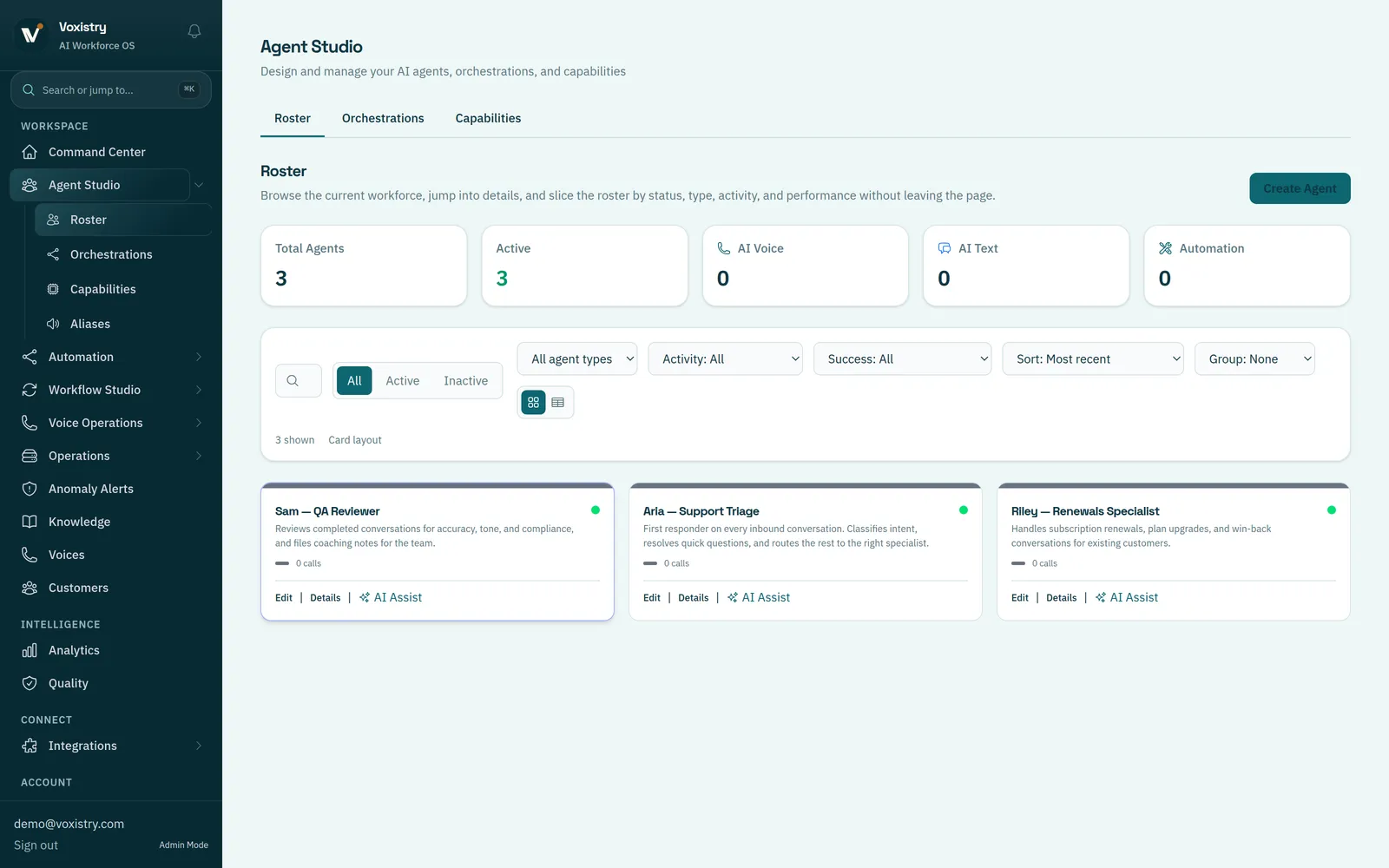
Review each specialist’s instructions, knowledge and tools, then test it with a representative request.
FROM JOB DESCRIPTION TO AI ROLE
Turn a job description
into an AI role.
For example, a renewal assistant can answer routine questions using approved information and send account decisions to a person.
- 01
Describe the responsibility.
Name the requests it handles, the answer or action it should prepare, and what falls outside its role.
- 02
Give it relevant context.
Choose the business information it can use. Identify which connected records and tools the job requires.
- 03
Define permitted actions.
Separate answering a question, preparing a change and making a change. Set where approval or a human handoff is needed.
- 04
Test the difficult cases.
Review ordinary questions, missing information, unavailable tools and exceptions before expanding the role’s scope.
TEAM CANVAS
See who handles
each part of the work.
Connect specialists on a visual canvas so it’s clear who receives a request, where it goes next and when a person is needed.
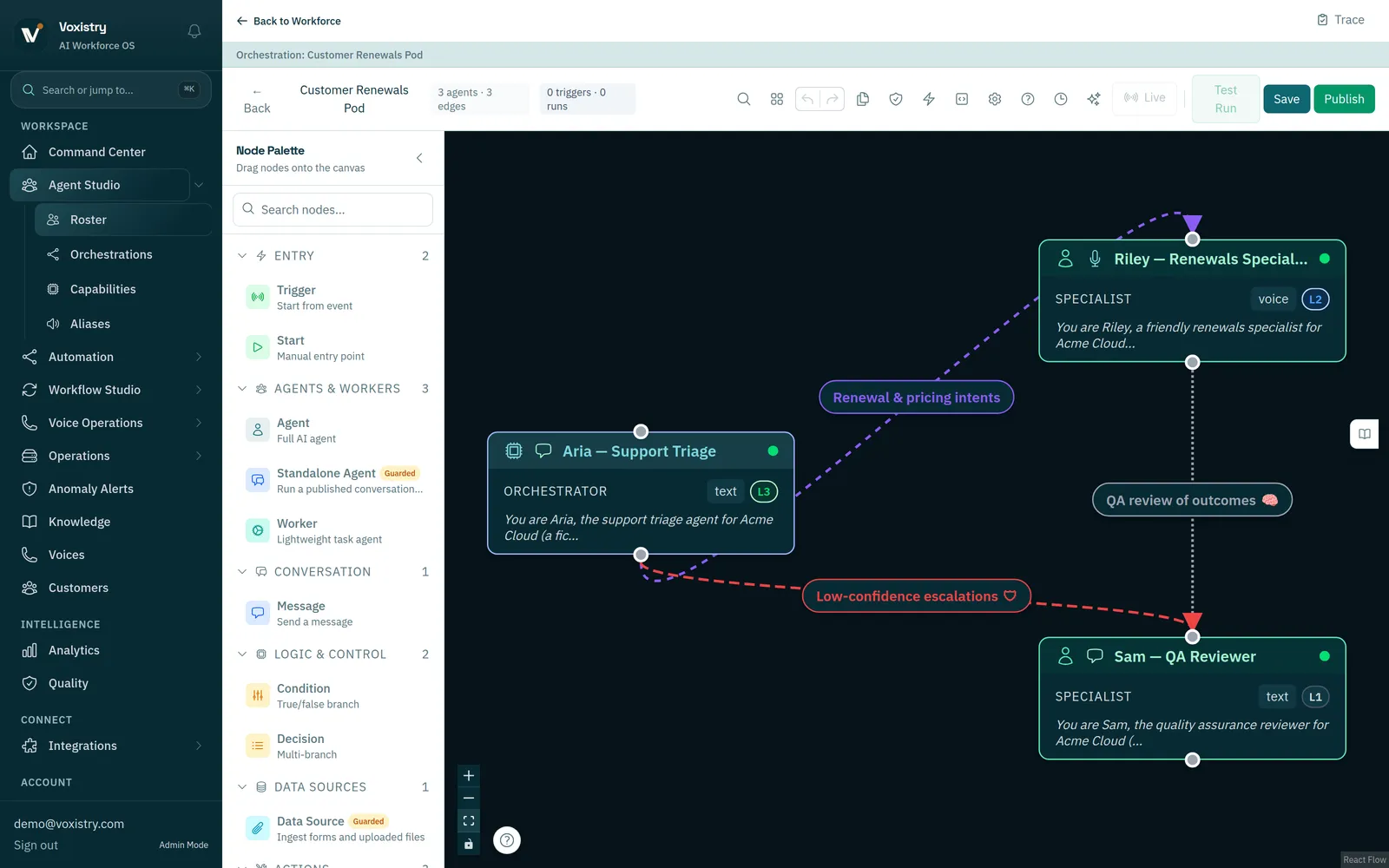
In this fictional demo, triage routes a renewal question to a specialist, with a separate quality-review role. It illustrates a configuration, not a completed customer deployment.
CONNECT THE NEXT PART
A role is the starting point.
Connect it to a process, a system action and the decision owner the work needs.
START WITH ONE WORKFLOW
Bring one business role.
Make the first task clear.
Start with the requests your team receives, the information it uses and the decisions that need a person.
Share the process you want to improve.
We’ll follow up to arrange a conversation.