
WORKFLOW STUDIO
Turn your process
into coordinated action.
Map AI tasks, connected-system actions and human decisions. Give each step the information and owner it needs.

INSIDE WORKFLOW STUDIO
Decisions change the route.
Make each path visible.
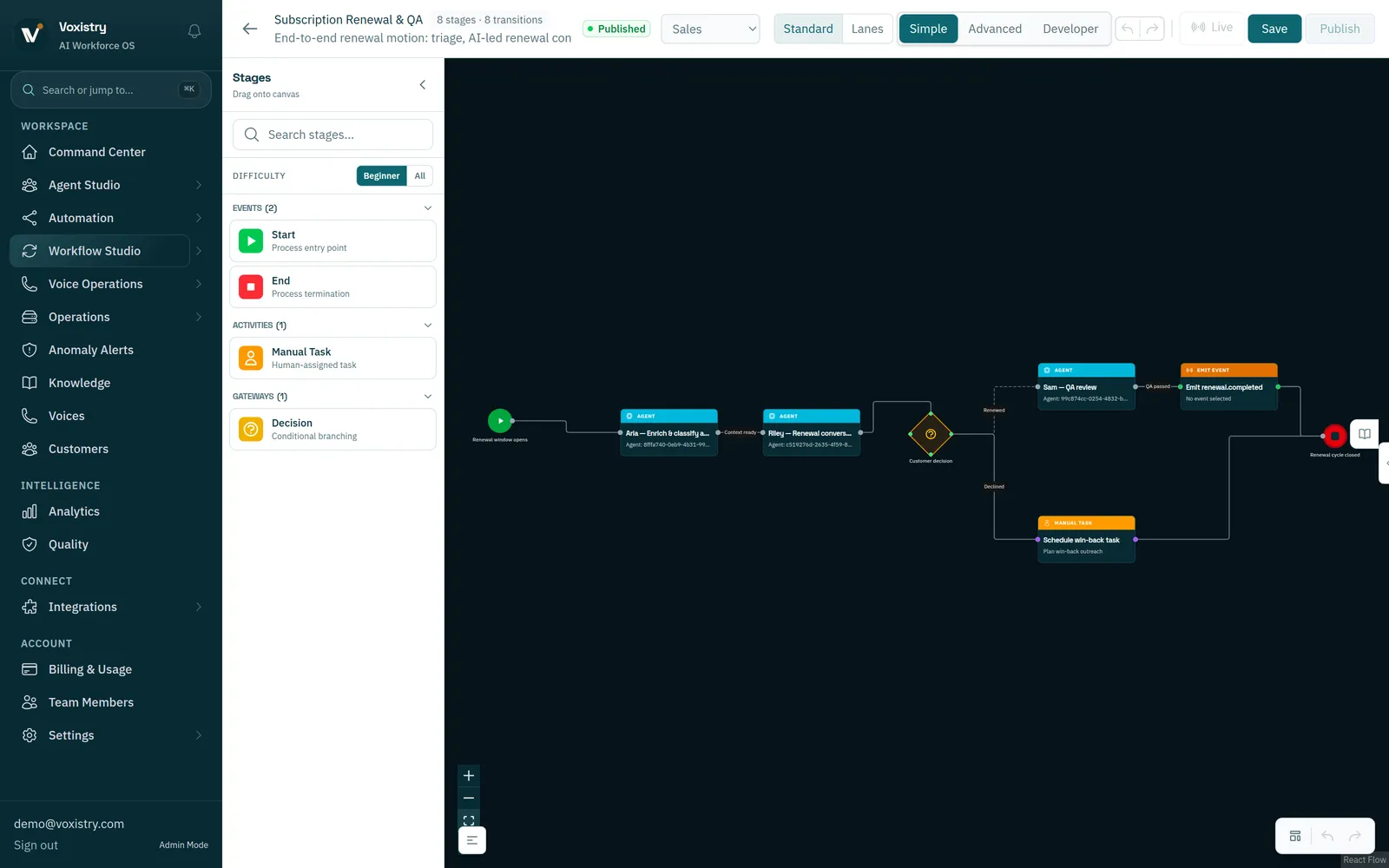
The fictional renewal process below includes a decision and a human follow-up task. Expand the capture to inspect the complete workspace.
MAP THE WORK, THEN THE EXCEPTIONS
Map the normal path.
Plan for the exceptions.
A workflow describes how work moves. It includes the information, conditions and people that determine the next step.
- 01
Define the starting request.
Identify what begins the process and what information must arrive with it.
- 02
Arrange the work.
Set the order of AI tasks and system actions. Make the inputs and expected result of each step clear.
- 03
Give decisions an owner.
Map conditions, approvals and human tasks. Decide where missing information or exceptions should go.
- 04
Check the result.
Review execution records and the result in the destination system. An attempted action and a completed change are different outcomes.

AN EXAMPLE TO DISCUSS
A delivery is delayed.
Make the next step clear.
An AI role gathers the available shipment information and prepares recovery options. The operations owner reviews costs or exceptions; the workflow then follows the permitted next step.
- The system provides the available facts.
- AI prepares the work within its assigned role.
- A person decides where judgment is required.
- The result is checked against the agreed completion criteria.
Illustrative process. Systems, actions and operating scope are agreed for the deployment.
BEFORE THE PROCESS RUNS
Set the boundaries
and the recovery path.
Use these questions to keep the process understandable to its builders and operators.
How is a team different from a workflow?
A team defines which specialists share responsibility and how they coordinate. A workflow sets the sequence, conditions, system actions and human decisions for a process.
What happens when a system or approval is unavailable?
Define a waiting, retry or handoff path for that action and agree who resolves it. Verify the configured behavior before relying on the workflow.
How do we know the work is complete?
Choose completion criteria for the business job, such as a saved system record or a reviewed next action. Check that result as well as the workflow’s activity records.
START WITH ONE WORKFLOW
Bring the process.
Map one useful improvement.
Start with the trigger, the systems involved and the decisions your people need to make.
Share the process you want to improve.
We’ll follow up to arrange a conversation.